.png)
Menu
.png)
Technology is only successful for teams at scale if it doesn't create more work for everyone involved. Furthermore, if you need to log into another system to send out an RFP, you risk deliverability issues getting this work to the carriers. And on the carrier side, if it takes more work to log into another system to send back a quote, carriers will DTQ. You need a system that works where everyone works today.
We all know the drill. It’s Monday morning. You gather your account management team for the weekly “RFP Status” meeting.
For the next hour, you go line-by-line through a spreadsheet. "Did UHC respond?" "Where are we with the dental quote for ABC Company?"
It is a necessary evil. You need visibility, and your team needs organization. But the reality is, this process forces your team to babysit email threads instead of focusing on more strategic work.
Yet your team lives and works primarily in Outlook. In order to understand where everything stands, you need a way to track and manage this ongoing work. This is not what your inbox was built for. Some teams create spreadsheets to do this tracking manually, but this “work on top of work” is killing productivity and often leads to emails slipping through the cracks.
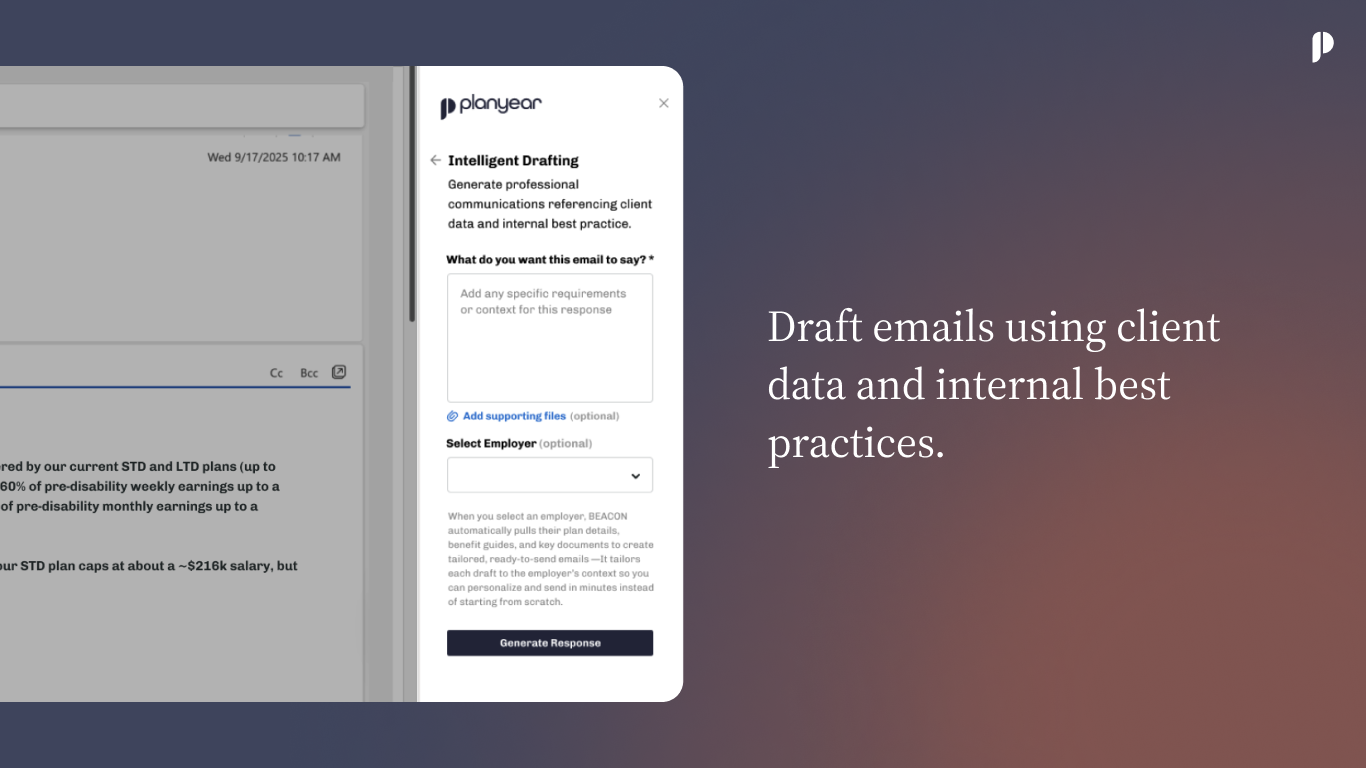
That ends today. We are introducing the Planyear Outlook Add-in, a new way for SAGE—your new carrier marketing assistant—to manage the RFP process from start to finish without ever leaving your inbox.
The biggest hurdle to adopting new technology is change management. Asking your team to log in to a separate portal to send an email is friction. It also has an impact on deliverability. When the email doesn’t come from your trusted domain, the carriers often don’t receive it. And, on the off chance they do, they are likely to DTQ if they are forced to log in to a separate system.
With our new Outlook integration, there is zero change management.
The most time-consuming part of the busy season is taking a quote attached to an email and manually entering all the data into a comparison spreadsheet.
Now, you can simply click a button. SAGE automatically spreads when the quote is received over email, no action needed from user
SAGE reads the email, extracts the data from the quote, and populates your spread. You get a consistent, clean template every time with your preferred cover page, branding, disclaimers and plan details.
For leaders, the goal is transparency. You need to know what is back, what is due, and what is late—without nagging your team for updates.
Everything your team does in Outlook flows straight to your dashboard. No manual updates, no nagging required.
We built this feature because we believe software should adapt to you, not the other way around.
Your value to your clients isn’t defined by how well you manage a spreadsheet or stay organized in a million email threads. It’s defined by the strategy you provide and the relationships you build. To do that, you need time—so we’re giving you your Monday mornings back. You can finally stop using that hour to ask, 'has UHC responded yet?'or “has Aetna sent the RFP to underwriting?” and start using it to discuss how to win new business and strengthen relationships with your existing clients.
Next busy season, stop babysitting your inbox and take back control of your busy season. Let SAGE handle the noise so you can get back to doing what you do best.

Technology is only successful for teams at scale if it doesn't create more work for everyone involved. Furthermore, if you need to log into another system to send out an RFP, you risk deliverability issues getting this work to the carriers. And on the carrier side, if it takes more work to log into another system to send back a quote, carriers will DTQ. You need a system that works where everyone works today.
We all know the drill. It’s Monday morning. You gather your account management team for the weekly “RFP Status” meeting.
For the next hour, you go line-by-line through a spreadsheet. "Did UHC respond?" "Where are we with the dental quote for ABC Company?"
It is a necessary evil. You need visibility, and your team needs organization. But the reality is, this process forces your team to babysit email threads instead of focusing on more strategic work.
Yet your team lives and works primarily in Outlook. In order to understand where everything stands, you need a way to track and manage this ongoing work. This is not what your inbox was built for. Some teams create spreadsheets to do this tracking manually, but this “work on top of work” is killing productivity and often leads to emails slipping through the cracks.
That ends today. We are introducing the Planyear Outlook Add-in, a new way for SAGE—your new carrier marketing assistant—to manage the RFP process from start to finish without ever leaving your inbox.
The biggest hurdle to adopting new technology is change management. Asking your team to log in to a separate portal to send an email is friction. It also has an impact on deliverability. When the email doesn’t come from your trusted domain, the carriers often don’t receive it. And, on the off chance they do, they are likely to DTQ if they are forced to log in to a separate system.
With our new Outlook integration, there is zero change management.
The most time-consuming part of the busy season is taking a quote attached to an email and manually entering all the data into a comparison spreadsheet.
Now, you can simply click a button. SAGE automatically spreads when the quote is received over email, no action needed from user
SAGE reads the email, extracts the data from the quote, and populates your spread. You get a consistent, clean template every time with your preferred cover page, branding, disclaimers and plan details.
For leaders, the goal is transparency. You need to know what is back, what is due, and what is late—without nagging your team for updates.
Everything your team does in Outlook flows straight to your dashboard. No manual updates, no nagging required.
We built this feature because we believe software should adapt to you, not the other way around.
Your value to your clients isn’t defined by how well you manage a spreadsheet or stay organized in a million email threads. It’s defined by the strategy you provide and the relationships you build. To do that, you need time—so we’re giving you your Monday mornings back. You can finally stop using that hour to ask, 'has UHC responded yet?'or “has Aetna sent the RFP to underwriting?” and start using it to discuss how to win new business and strengthen relationships with your existing clients.
Next busy season, stop babysitting your inbox and take back control of your busy season. Let SAGE handle the noise so you can get back to doing what you do best.

Technology is only successful for teams at scale if it doesn't create more work for everyone involved. Furthermore, if you need to log into another system to send out an RFP, you risk deliverability issues getting this work to the carriers. And on the carrier side, if it takes more work to log into another system to send back a quote, carriers will DTQ. You need a system that works where everyone works today.
We all know the drill. It’s Monday morning. You gather your account management team for the weekly “RFP Status” meeting.
For the next hour, you go line-by-line through a spreadsheet. "Did UHC respond?" "Where are we with the dental quote for ABC Company?"
It is a necessary evil. You need visibility, and your team needs organization. But the reality is, this process forces your team to babysit email threads instead of focusing on more strategic work.
Yet your team lives and works primarily in Outlook. In order to understand where everything stands, you need a way to track and manage this ongoing work. This is not what your inbox was built for. Some teams create spreadsheets to do this tracking manually, but this “work on top of work” is killing productivity and often leads to emails slipping through the cracks.
That ends today. We are introducing the Planyear Outlook Add-in, a new way for SAGE—your new carrier marketing assistant—to manage the RFP process from start to finish without ever leaving your inbox.
The biggest hurdle to adopting new technology is change management. Asking your team to log in to a separate portal to send an email is friction. It also has an impact on deliverability. When the email doesn’t come from your trusted domain, the carriers often don’t receive it. And, on the off chance they do, they are likely to DTQ if they are forced to log in to a separate system.
With our new Outlook integration, there is zero change management.
The most time-consuming part of the busy season is taking a quote attached to an email and manually entering all the data into a comparison spreadsheet.
Now, you can simply click a button. SAGE automatically spreads when the quote is received over email, no action needed from user
SAGE reads the email, extracts the data from the quote, and populates your spread. You get a consistent, clean template every time with your preferred cover page, branding, disclaimers and plan details.
For leaders, the goal is transparency. You need to know what is back, what is due, and what is late—without nagging your team for updates.
Everything your team does in Outlook flows straight to your dashboard. No manual updates, no nagging required.
We built this feature because we believe software should adapt to you, not the other way around.
Your value to your clients isn’t defined by how well you manage a spreadsheet or stay organized in a million email threads. It’s defined by the strategy you provide and the relationships you build. To do that, you need time—so we’re giving you your Monday mornings back. You can finally stop using that hour to ask, 'has UHC responded yet?'or “has Aetna sent the RFP to underwriting?” and start using it to discuss how to win new business and strengthen relationships with your existing clients.
Next busy season, stop babysitting your inbox and take back control of your busy season. Let SAGE handle the noise so you can get back to doing what you do best.